Video production and editing
@patchdstudio
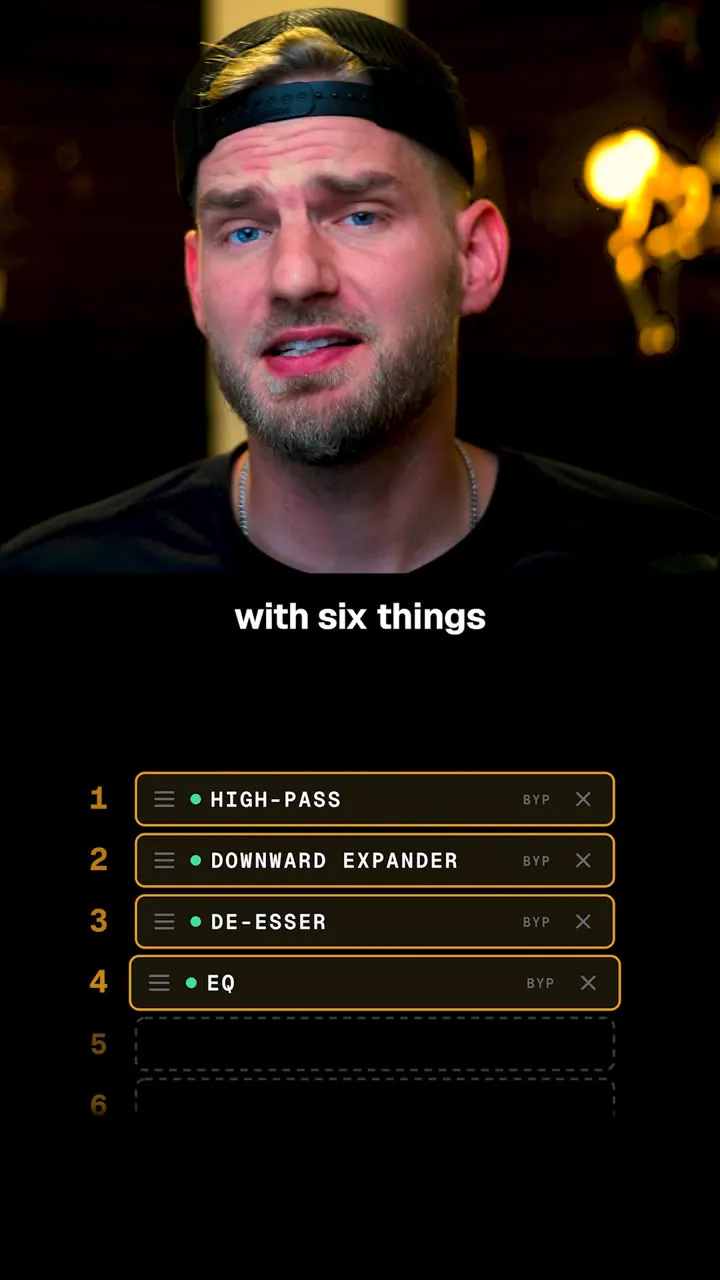
Radio-style mic processing is six effects in this order: high-pass (~100 Hz), downward expander, de-esser, EQ boost ~3.5 kHz, compressor, limiter; it is also a promo for Patchd (live mixer app, open beta).
2.7M plays · 08 Oct 2026
What they said
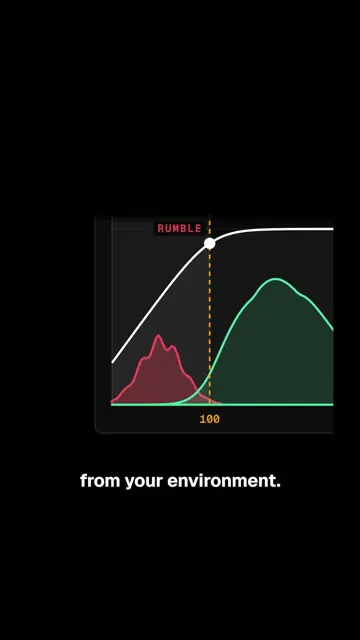
- High-pass filter: cuts everything below ~100 Hz; almost none of your voice there, only environmental rumble (graph with red rumble area).
- Downward expander: when your voice gets quiet it turns the sound down even more, so fan, keyboard and breathing between words get quieter.
- De-esser: S sounds make a sharp hiss that can be too loud; the de-esser targets only the hiss.
- EQ boost around 3,500 Hz: the range that makes words clear; "some radio mics have a switch for exactly this boost" (photo of a mic with a presence-boost switch).
- Compressor: dynamic range = gap between quietest and loudest words; compressor lowers the loudest then raises the whole voice, giving steadier volume, set level once, quiet words don't get lost, loud words don't jump out; also pulls the voice "to the front of the mix" (mix = everything heard at once: you, game, music).
- Limiter: a ceiling your voice can't exceed so laughs or shouts don't distort.
- Order: high-pass, expander, de-esser, EQ, compressor, limiter, "and typically all done in that order". Caption adds: "Put the expander before the compressor. Without it, the compressor raises the quiet sounds between your words too."
- Product plug: "Patch has all six in its mixer, and the whole app is in open beta right now. Click the link in bio to join." (Caption: "Save this for the next time you set up your mic.")
Try this
- Anyone recording voice: Use a basic chain in your editor in this order: high-pass filter at about 80 to 100 Hz, light de-essing, a mild boost near 3.5 kHz for clarity, gentle compression, then a limiter at about minus 1 dB.
- Anyone recording voice: Put a downward expander before the compressor if you have background noise. Without it, the compressor raises the quiet sounds between words. Go easy on it.
- Video makers: Set the level once with the compressor so quiet words are not lost and loud words do not jump out. Check on phone speakers.
- Video makers: Radio processing can sound too heavy for social video or dialogue. Compare with and without it before you commit.
- Creators and teams: Treat the order as debatable. Some engineers put the de-esser after the compressor. Trust your ears over a rule.
- Creators: A dark-mode animated graph per concept is a good way to explain a technical topic, such as ad metrics or conversion rates.
Links
- Patchd (app; live audio mixer with a driver/engine, open beta, link in bio). Supports VST plugins (creator reply). Multi-track recording planned.
- Concepts only: high-pass, expander/gate, de-esser, EQ, compressor, limiter.
- Commenters mention Audacity, Voicemeeter, GoXLR, SSL VocalStrip, Soothe, Equalizer APO.

Watch the original
Watch the full reel on Instagram by @patchdstudio. Follow them for more.
Video, voice and ideas belong to @patchdstudio. Shown here as a short preview with our own summary, for commentary and education. Want it removed? Tell us.
00:00
/
00:00

More Video production and editing

Liked this one? Get the next
When I find a reel worth acting on, you get the short version: what it says and what to do. Free, rare, one click to leave.
Rather have it done for you? Work with Tanish