Meta ads
@daniel_iles
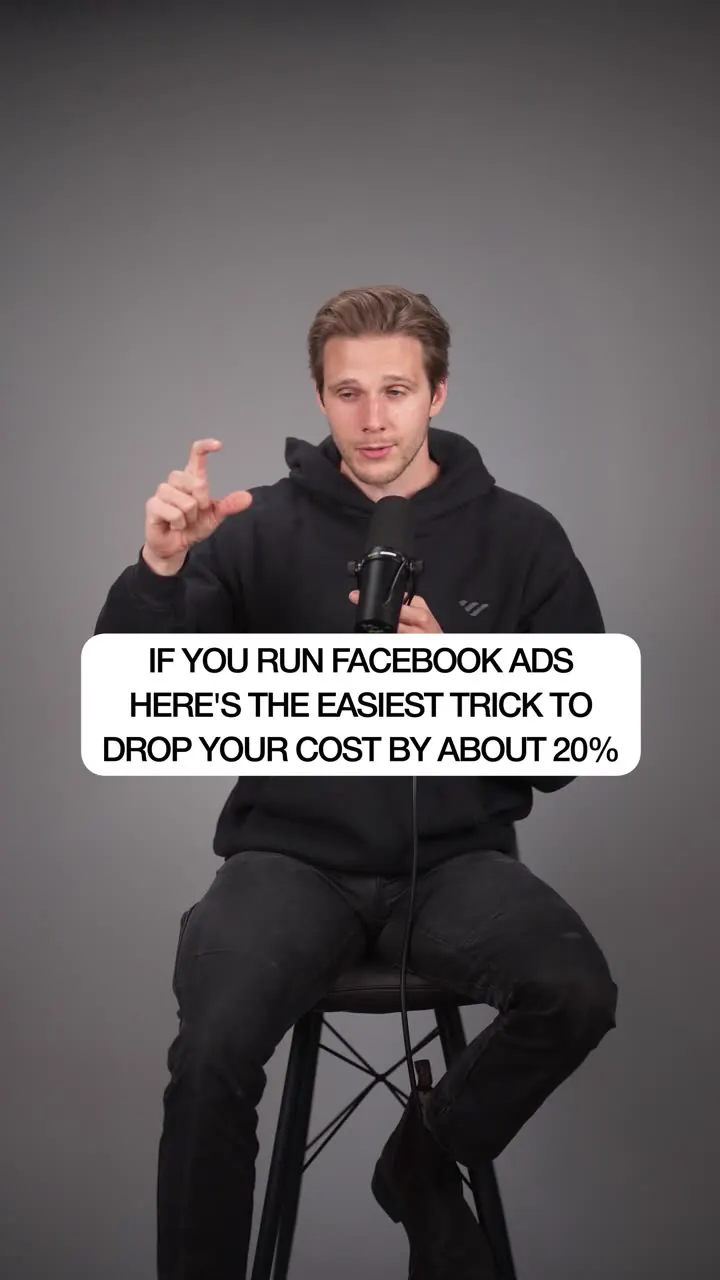
Reuse the same post/ad ID ("use existing post") when duplicating a winning Facebook ad across ad sets so likes, comments and shares pool in one place, which he claims lowers cost by about 20% via social proof.
160k plays · 14 Sep 2026
What they said
- Every published ad has its own ID, like a fingerprint for the creative; it tracks the creative, copy, text, link, likes, comments, shares.
- Mistake: most people re-upload an ad from scratch, so Facebook treats it as a brand new post with 0 likes, 0 comments, and must relearn who to target.
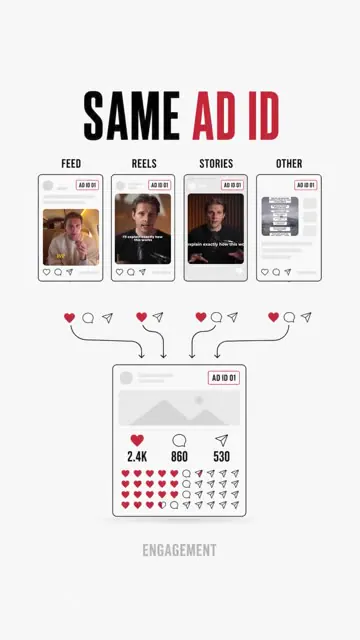
- Fix: reuse the same ad/post ID wherever you run the ad so engagement pools: instead of five ads with 2,000 likes each you get one ad showing 10,000 likes everywhere (graphic "SAME AD ID": feed, reels, stories, other -> one engagement counter 2.4K / 860 / 538).
- Why: social media rewards social proof; an ad with more engagement than a competitor's gets an edge in the auction -> lower cost, better placements, better results.
- Steps:
- In the original ad, go to Ad setup and hit Edit; change the dropdown from "Create ad" to "Use existing post" (the screen shows Create ad / Use existing post / Use Creative Hub mockup).
- Scroll down to Ad creative; you will see the post ID.
- Copy that post ID.
- Duplicate the original ad.
- In the duplicate, go to Ad setup and again select "Use existing post".
- Hit Enter post ID, paste the post ID into the new ad.
- Tick the checkbox to pull in the existing engagement.
- Catch: once you commit to a post you cannot change anything: no caption edit, no new headline, no new thumbnail. If the offer changes, you must kill the ad and start from scratch.
- "If you can figure this out, it is a super easy way to scale a winner." Offer: 30-second video walkthrough via comment.

Try this
- Advertisers: When you scale a winning ad into new ad sets, use "Use existing post" and paste the post ID, so likes, comments and shares stay on one post. The claim of about 20% lower cost is unproven, so test it against a normal duplicate.
- Advertisers: Know the catch. Once you reuse a post you cannot change the caption, headline or thumbnail. If the offer changes, start a new ad.
- Advertisers: Check your setup. Catalog or dynamic creative ads cannot use an existing post, and Meta's automatic placement variations can stop engagement from pooling.
- Brands: Reusing a post also pools comments, including bad ones. Moderate comments and keep the offer evergreen.
- Agencies and freelancers: Write a short "winner promotion" process for client accounts, including when to reuse a post and when to rebuild the ad.
- Creators: A fast screen recording with yellow highlights on each click, finished with a comment keyword for a video walkthrough, works well for ad tutorials.
Links
- Meta Ads Manager (ad setup > Use existing post, ad creative > post ID, duplicate). Screens show an ads table with many ads in "Learning" status. No external tools.
Watch the original
Watch the full reel on Instagram by @daniel_iles. Follow them for more.
Video, voice and ideas belong to @daniel_iles. Shown here as a short preview with our own summary, for commentary and education. Want it removed? Tell us.
00:00
/
00:00



Liked this one? Get the next
When I find a reel worth acting on, you get the short version: what it says and what to do. Free, rare, one click to leave.
Rather have it done for you? Work with Tanish