Lead gen, sales and client acquisition
@apurv_sngh
Export your LinkedIn connections CSV, have ChatGPT/Claude score fit against your ICP, enrich the shortlist (Sales Navigator/Apollo/Clay), rescore, then draft personalised outreach; use Jev (TypeSafe AI) only when doing this repeatedly at thousands-of-records scale.
20k plays · 21 Sep 2026
What they said
Caption workflow (6 steps):
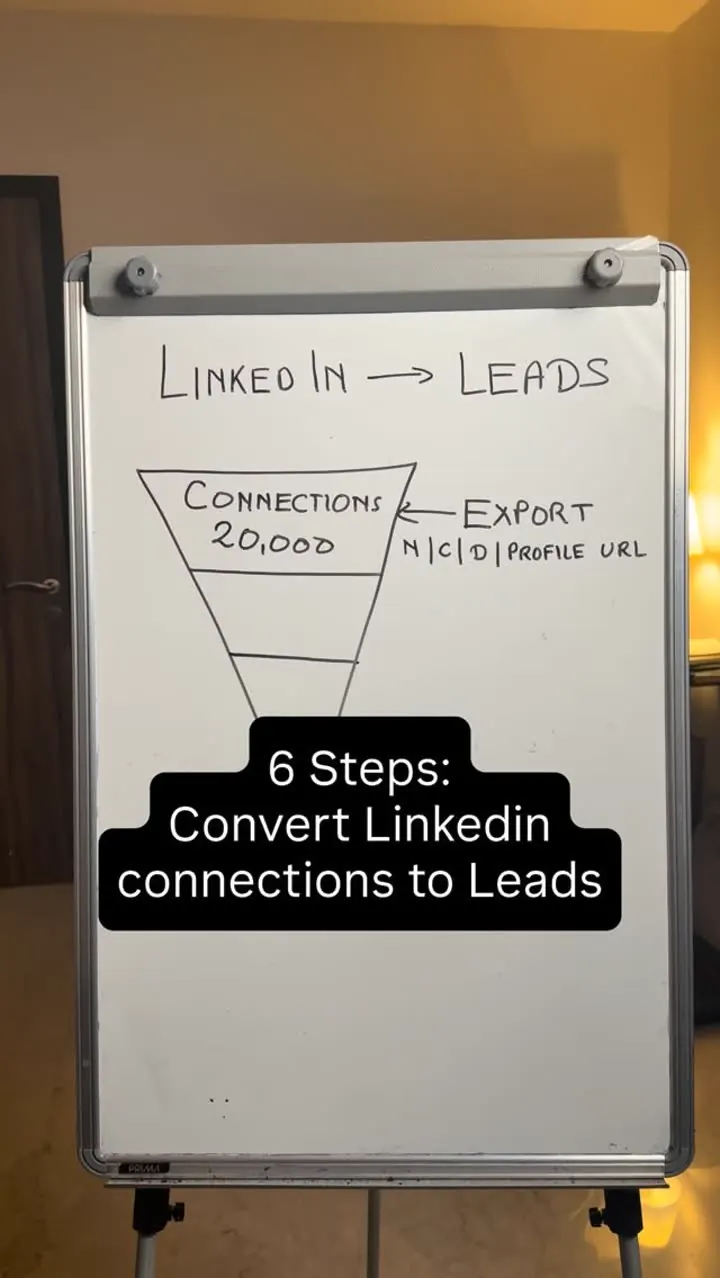
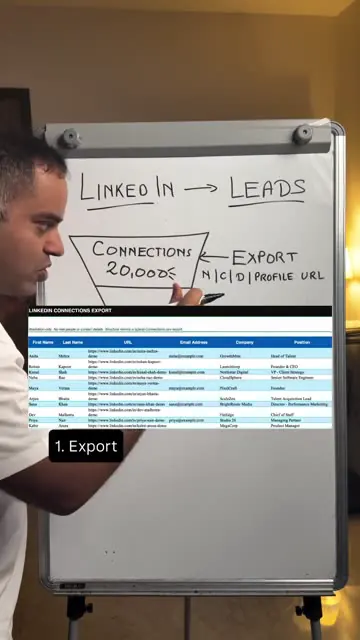
- Export: LinkedIn -> Me -> Settings & Privacy -> Data Privacy -> Get a copy of your data -> Connections -> Request archive. Use the Connections.csv file. (Speech: export gives name, company, designation, profile URL; speech also says "company size", caption/whiteboard say N | C | D | profile URL.)
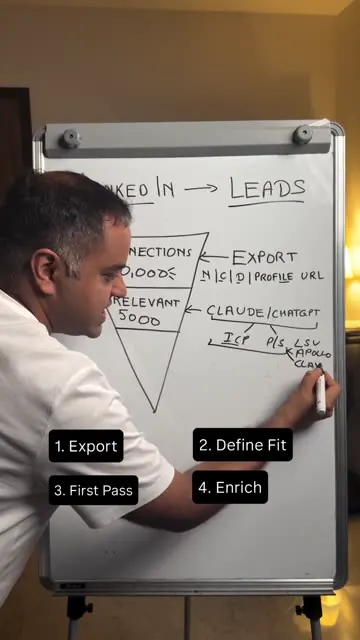
- Define fit: decide exactly who you want (examples: recruiters, agency founders, senior agency leaders, startup founders). Give ICP and product/service details to the AI.
- First pass: upload CSV to ChatGPT or Claude; classify High fit / Maybe / Low fit; tell it to use only data that exists in the file.
- Enrich the promising records: Sales Navigator (if LinkedIn data suffices), Apollo (straightforward CSV enrichment), Clay (multiple sources + automation). Adds headcount, funding stage, annual revenue, sometimes email/phone.
- Rescore with richer data (company size, industry, funding, hiring signals).
- Personalise: ChatGPT/Claude agent researches shortlisted people and drafts outreach (name, recent company update, pain point, how your product fits). Review and send manually.
- Funnel numbers in speech: shortlist e.g. 20,000 connections -> relevant 5,000 (whiteboard funnel "Connections 20,000 / Relevant 5000").
- Where Jev by TypeSafe AI fits: not needed for one-off; useful to make the same decision across thousands of records repeatedly. Rule: "ChatGPT/Claude = deeply understand the few; Jev = repeatedly judge the many." (Speech says "Jeff AI ... type saves", mis-transcribed.)
- A page with full workflow, sample sheets and examples is sent on comment "LEADS".
Try this
- B2B sellers and agencies: Export your LinkedIn connections. Go to Me > Settings and Privacy > Data Privacy > Get a copy of your data > Connections, and request the archive.
- Score before you enrich: Write down your ideal customer, upload the CSV to ChatGPT or Claude, and ask it to label each person High fit, Maybe or Low fit using only data in the file.
- Enrich only the shortlist: Use Sales Navigator, Apollo or Clay to add company size, funding and revenue. Then rescore with the richer data.
- Personalise by hand: Have the assistant draft outreach with a name, a recent company update and a pain point, then review and send each message yourself.
- Product brands: Run the same scoring on your own customer list, ranking by order value or repeat potential, then write reactivation messages.
- Privacy: Only process data you own or have permission to use, and avoid mass automated sending.
Links
- LinkedIn data export (Connections.csv); ChatGPT; Claude; LinkedIn Sales Navigator; Apollo; Clay; Jev by TypeSafe AI (magenta logo shown at 80-82s). No URLs given.
Watch the original
Watch the full reel on Instagram by @apurv_sngh. Follow them for more.
Video, voice and ideas belong to @apurv_sngh. Shown here as a short preview with our own summary, for commentary and education. Want it removed? Tell us.
00:00
/
00:00

More Lead gen


Liked this one? Get the next
When I find a reel worth acting on, you get the short version: what it says and what to do. Free, rare, one click to leave.
Rather have it done for you? Work with Tanish