AI tools and automation
@robonuggets
Three steps to have Claude edit your videos: cut via transcript, animate from a design system you built, then direct with batched notes, and turn it into a reusable /animate skill.
3k plays · 21 Oct 2026

What they said
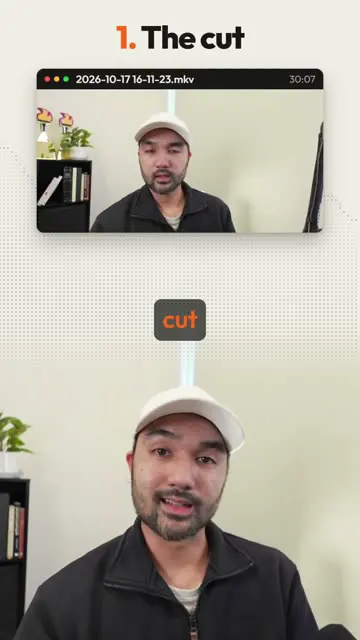
- The cut: give Claude raw recording; transcribe with AssemblyAI or ElevenLabs; Claude reads what you said, cuts pauses and false takes, keeps best shots.
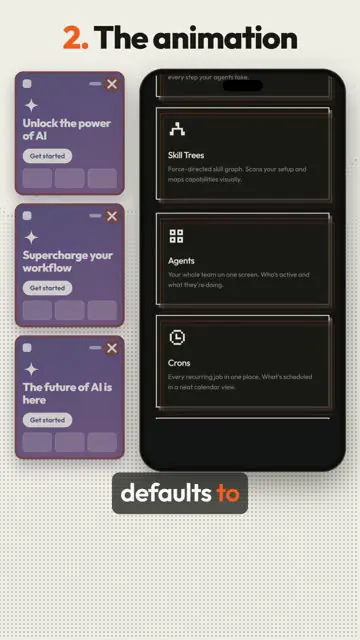
- The animation: give Claude a design system first (your style, built via screenshots and website references) to avoid the "vibe-coded AI sloppy look".
- Directing: most important; one prompt gets about 80%; watch back and send all notes in one go. Use free open-source HyperFrames (Apache-2.0, ~65.9k stars, shown) as a studio to comment on specific shots/scenes so Claude gets context (Shot 0:07, index.html, Feedback).
- Then ask Claude to make all this your own /animate skill so the next edit starts closer to your taste.
- Pro tip: Opus 5.5 at "Extra high" effort (model picker shows Fable 5.1, Opus 5.5, Sonnet 5.5; effort Low/Medium/High/Extra high/Max).
- Caption Q&A: Can Claude edit videos? How to animate with Claude Code? How to cut false takes?
Try this
- Video makers: Use three steps. Transcribe the raw recording and let the AI cut pauses and false takes. Build a design system first, from screenshots and site references, so the animation avoids a generic look. Then direct the edit.
- Video makers: Give feedback in batches. Watch the video through, then send all notes in one message, pointing to specific shots, such as "Shot at 0:07". One prompt gets you about 80%, and the rest is direction.
- Video makers: Use a free open-source studio tool to leave comments on specific scenes, so the AI has context.
- Creators and teams: Ask the AI to turn your workflow into a reusable skill, so each new edit starts closer to your taste.
- Everyone: Use a high effort setting for complex edits. "Every cut done by AI" is unverifiable, so review the result.
Links
Claude Code, AssemblyAI, ElevenLabs, HyperFrames (open source, HeyGen), Higgsfield (mentioned), design-system references (screenshots).
Watch the original
Watch the full reel on Instagram by @robonuggets. Follow them for more.
Video, voice and ideas belong to @robonuggets. Shown here as a short preview with our own summary, for commentary and education. Want it removed? Tell us.
00:00
/
00:00

More AI tools and automation

Liked this one? Get the next
When I find a reel worth acting on, you get the short version: what it says and what to do. Free, rare, one click to leave.
Rather have it done for you? Work with Tanish